Networking in k8s
By default, k8s has flat networking model. Every pod can talk to every other pod across all nodes and namespaces without restriction. This is good for development when you want to quickly iterate over different components of your app. But when it comes to production, often organisations have to comply with different security standards due to regulation like PCI, GDPR, etc.
This is somewhat true in Openshift as well but Openshift uses OVN-Kubernetes by default which is a software defined networking solution that provides network isolation and security for pods out of the box, you just have to use them. In this article, we are using openshift cluster but the concept is applicable to k8s cluster as well. In k8s however, you have to install CNI plugin manually and most commonly used one are Calico, Weave, Cilium, Flannel, etc.
What is NetworkPolicy?
A NetworkPolicy is basically like firewall with a guest lists for your pods. It controls the network flow in two directions:
- Ingress: (Incoming) Who is allowed to talk to this pod.
- Egress: (Outgoing) Who is this pod allowed to talk to.
You select the guest lists using the labels on your pods, on namespace level or CIDR IP range. For example you can have labels like app: frontend, app: backend, app: db. You can create a network policy that allows traffic from frontend to backend on port 8080 and backend to db on port 3306. The moment you attach a policy to a pod, the default changes from "allow everyone" to "deny everyone except those explicitly on my list."
NetworkPolicy works at OSI layer 3 and layer 4. It does not work at layer 2 or layer 7. So it cannot filter based on MAC addresses or HTTP headers. It only works based on IP addresses and ports.
Real world practical
Here is the manifest containing Deployments and Services for all three tiers. Note that in OpenShift, containers run under arbitrary non-root UIDs by default (restricted-v2 SCC). Standard nginx:latest attempts to write to root-owned cache folders and bind to port 80 as root, causing permission errors. We use nginxinc/nginx-unprivileged:latest which runs as non-root and listens on port 8080:
apiVersion: apps/v1kind: Deploymentmetadata: name: frontend-app labels: app: frontendspec: replicas: 1 selector: matchLabels: app: frontend template: metadata: labels: app: frontend spec: containers: - name: frontend image: nginxinc/nginx-unprivileged:latest ports: - containerPort: 8080---apiVersion: v1kind: Servicemetadata: name: frontend-service labels: app: frontendspec: selector: app: frontend ports: - protocol: TCP port: 80 targetPort: 8080---apiVersion: apps/v1kind: Deploymentmetadata: name: backend-app labels: app: backendspec: replicas: 1 selector: matchLabels: app: backend template: metadata: labels: app: backend spec: containers: - name: backend image: nginxinc/nginx-unprivileged:latest ports: - containerPort: 8080---apiVersion: v1kind: Servicemetadata: name: backend-service labels: app: backendspec: selector: app: backend ports: - protocol: TCP port: 8080 targetPort: 8080---apiVersion: apps/v1kind: Deploymentmetadata: name: db-app labels: app: dbspec: replicas: 1 selector: matchLabels: app: db template: metadata: labels: app: db spec: containers: - name: db image: mysql:8.0 ports: - containerPort: 3306 env: - name: MYSQL_ROOT_PASSWORD value: "password"---apiVersion: v1kind: Servicemetadata: name: db-service labels: app: dbspec: selector: app: db ports: - protocol: TCP port: 3306 targetPort: 3306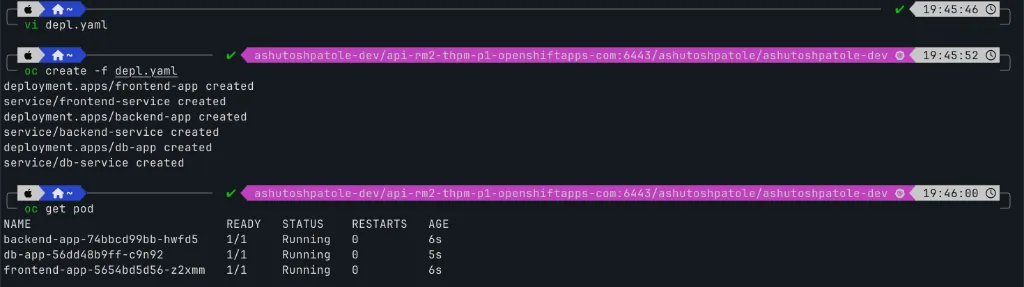
Now let's test connectivity using oc exec.
Since the frontend and backend run HTTP servers, we can use curl to test HTTP endpoints. However, MySQL on port 3306 speaks a raw binary protocol instead of HTTP (so curl http://... fails with connection reset). To test TCP connectivity to MySQL without installing extra tools, we use bash's built-in /dev/tcp socket with timeout:
# 1. Access backend from frontend (HTTP)$ oc exec deployment/frontend-app -- curl -s -I http://backend-service:8080 HTTP/1.1 200 OKServer: nginx/1.31.7Date: Sun, 11 Jan 2026 14:21:54 GMTContent-Type: text/htmlContent-Length: 896Last-Modified: Sun, 11 Jan 2026 14:00:00 GMTConnection: keep-aliveETag: "6abe961f-380"Accept-Ranges: bytes # 2. Access db from backend (TCP port 3306)$ oc exec deployment/backend-app -- timeout 2 bash -c '</dev/tcp/db-service/3306 && echo "Connected to DB"'Connected to DB # 3. Access db from frontend (currently allowed by default before NetworkPolicy)$ oc exec deployment/frontend-app -- timeout 2 bash -c '</dev/tcp/db-service/3306 && echo "Connected to DB"'Connected to DBNetworkPolicy to secure the tiers
Now we apply NetworkPolicies to enforce the guest list:
- Backend NetworkPolicy: Only allow incoming connections from pods with label
app: frontendon port8080. - Database NetworkPolicy: Only allow incoming connections from pods with label
app: backendon port3306.
apiVersion: networking.k8s.io/v1kind: NetworkPolicymetadata: name: backend-policyspec: podSelector: matchLabels: app: backend policyTypes: - Ingress ingress: - from: - podSelector: matchLabels: app: frontend ports: - protocol: TCP port: 8080---apiVersion: networking.k8s.io/v1kind: NetworkPolicymetadata: name: db-policyspec: podSelector: matchLabels: app: db policyTypes: - Ingress ingress: - from: - podSelector: matchLabels: app: backend ports: - protocol: TCP port: 3306$ oc create -f networkpolicy.yamlnetworkpolicy.networking.k8s.io/backend-policy creatednetworkpolicy.networking.k8s.io/db-policy created $ oc get networkpolicyNAME POD-SELECTOR AGEallow-from-codeready-workspaces-operator <none> 10dallow-from-console-namespaces <none> 10dallow-from-dev-sandbox-managed-ns <none> 10dallow-from-olm-namespaces <none> 10dallow-from-openshift-ingress <none> 10dallow-from-openshift-monitoring <none> 10dallow-from-openshift-virtualization-namespaces <none> 10dallow-from-redhat-ods-app-to-mariadb app=mariadb-dspa 10dallow-from-redhat-ods-app-to-mm modelmesh-service=modelmesh-serving 10dallow-same-namespace <none> 10dbackend-policy app=backend 44sdb-policy app=db 44sAfter testing the connections again, frontend still had connection to db. The reason, this is a openshift sandbox and it has some default networkpolicies in place. The interesting one is allow-same-namespace which allows all pods in the same namespace to communicate with each other.
spec: podSelector: {} # Matches ALL pods in the namespace ingress: - from: - podSelector: {} # Allows ALL pods in the namespace to talk to each other on ALL ports! policyTypes: - IngressIn k8s and openshift, networkpolicies are additive. Which means if you have multiple networkpolicies applied to a pod, the pod will allow traffic based on the union of all networkpolicies. Because
allow-same-namespaceselects every pod (podSelector: {}), it was permitting all pod-to-pod traffic in the namespace on all ports, overriding the restrictions in yourdb-policy.
We deleted the allow-same-namespace and again tested the connections. This time, the frontend pod could not connect to the db pod.
$ oc delete networkpolicy allow-same-namespacedeleted $ oc exec deployment/frontend-app -- curl -s -I http://backend-service:8080HTTP/1.1 200 OK $ oc exec deployment/backend-app -- timeout 2 bash -c '</dev/tcp/db-service/3306 && echo "Connected to DB"'Connected to DB $ oc exec deployment/frontend-app -- timeout 2 bash -c '</dev/tcp/db-service/3306 && echo "Connected to DB"'command terminated with exit code 124Key Learnings
- NetworkPolicies are strictly additive (OR logic):
Kubernetes does not have explicit "deny" rules in standard NetworkPolicies. When multiple policies select a pod, the allowed traffic is the union of all matching allow rules. If an existing policy (such as the OpenShift Sandbox allow-same-namespace policy) allows traffic across the namespace, your specific pod isolation policy will not take effect until that broader rule is removed or scoped down.
- Silent packet drops leave pods green:
Because NetworkPolicies filter packets at the network layer (via OVN-Kubernetes or CNI iptables/eBPF rules), blocked connections simply time out while pods continue reporting 1/1 Running.
If you want to see how a misconfigured NetworkPolicy can silently break an app while all pods and endpoints stay green, check out Catalog Unreachable With Green Pods. For troubleshooting port mapping and targetPort issues between Services and pods, see Payments API Down While Pods Are Ready.